
Jobber: Field Service Software
Jobber SoftwareBusiness
4.41.11K Reviews
- Version
- 6.91.0
- Installs
- 1.00M
- Age Rating
- Everyone
Screenshots
Our Review of Jobber: Field Service Software
 Analysis by Appyee
I find Jobber most useful when the hard part of a field-service day isn’t the work itself but keeping appointments, customer details, staff, and invoices aligned. It brings those pieces into one mobile-friendly workflow. That can make a real difference for a small home-service business, though it works best when the people using it can get online and are willing to keep job records current.
Where a connected workflow helps
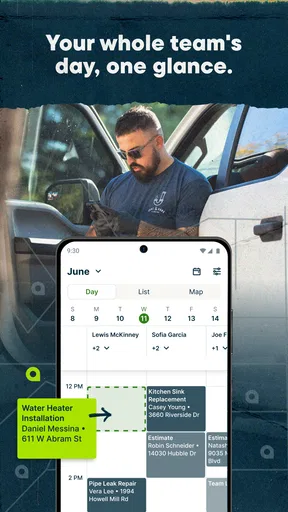
Scheduling is the first place I’d expect a business to notice the benefit. When a customer changes a visit or a job runs late, a shared schedule gives the person coordinating the day a clearer place to make adjustments than a chain of calls, texts, and handwritten notes. It also gives field staff a way to check the latest job information rather than relying on an old message.
That convenience depends on connectivity. If you’re in a basement, rural area, or building with unreliable reception, don’t assume that a change made elsewhere will appear immediately on your phone. I’d treat the app as a connected work tool and make a habit of checking that important updates have arrived before setting off. For urgent changes, a direct call remains a sensible backup.
This is not a drawback unique to Jobber; most cloud-based field service software depends on a working connection to keep office and field information in step. The practical question is whether your usual routes and job sites have dependable coverage. A business that spends much of the day in signal-poor locations should test its actual routine before moving every dispatch decision into an app.
Built for the moments between jobs
The mobile format makes the most sense in the gaps that define a service day: checking the next appointment from the van, confirming a customer’s details before knocking, or reviewing the schedule while waiting for a supplier. Rather than carrying a separate paper list and trying to remember which version is current, a worker can use the phone as a working reference.
Here’s a realistic example: a technician finishes a repair and learns that the next customer will only be home earlier than planned. The office can revise the schedule, and the worker can check for the change before driving across town. Once the work is done, the business can move toward invoicing without having to reconstruct the visit from memory later. The value is less about any single screen and more about reducing the handoffs between dispatch, service, and payment.
I would still be careful about using a phone while driving or handling equipment. Jobber can help organize a mobile business, but it can’t make interruptions safe. A better routine is to review the next stop while parked, keep job notes concise, and save administrative tasks for a pause rather than trying to complete everything on the move.
What to do when the day goes off plan
Field work rarely follows a perfect calendar. A repair may take longer than expected, a customer may not be available, or a new request may need to fit into an already busy route. A shared schedule and client history can help the office make a more informed adjustment, but the team still needs a clear habit for communicating changes and confirming who has seen them.
I’d agree on one simple rule before relying on the app: decide who is responsible for changing an appointment and how field staff should acknowledge a time-sensitive change. Without that agreement, a digital schedule can still become a source of confusion if one person updates it while another is working from an earlier view. For an urgent exception, a quick conversation can be more reliable than assuming a notification was noticed.
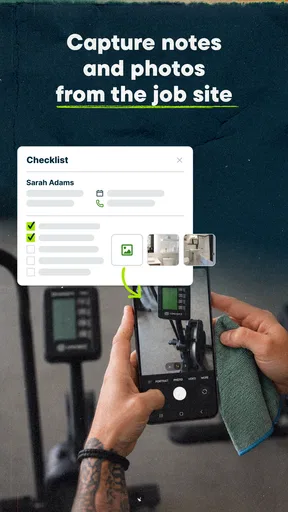
Jobber is also not a substitute for a sensible record-keeping routine. Add useful job details while they are fresh, especially anything the next person will need to know. A note such as what was inspected or what the customer requested is more valuable than a vague reminder. That discipline makes customer history useful instead of turning it into a pile of incomplete entries.
Keeping customer and job records useful
Customer details and job history become most valuable when they help with the next visit. Before dispatch, checking the record can help a team member arrive with context instead of asking the customer to repeat information the business already has. Preferences can also help a small company provide a more consistent experience when the owner is not the person doing every job.
There is a trade-off: storing more information only helps if it is accurate and relevant. I would avoid treating the app as a place to collect notes without a purpose. Keep entries focused on service needs, update details when they change, and make sure staff know what should be recorded. That approach makes the client record easier to scan when the day is busy.
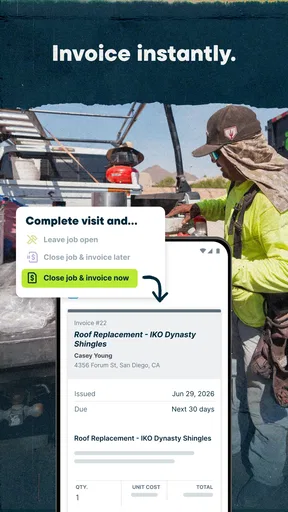
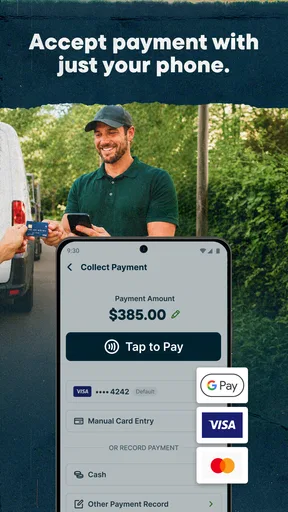
For invoicing, the connected workflow can shorten the gap between completing work and asking to be paid. Preparing an invoice while the job is still clear in your mind can reduce forgotten details and office catch-up later. Online payment options may also make it easier for customers to settle an invoice, although the best payment method still depends on what the customer is comfortable using.
Who will get the most from it
I’d recommend considering Jobber if you run a home-service operation where appointments, field staff, customer history, and billing regularly cross paths. It is especially appealing when the owner is also coordinating work and needs a single place to follow the day. Businesses that are still managing jobs through scattered messages and paper records may find the shared workflow easier to maintain once the team adopts it.
It may be more than you need if you work alone, take only occasional bookings, and already have a simple process that causes no missed appointments or billing delays. A calendar, basic contact list, and separate invoicing tool can be cheaper in effort as well as cost when the workflow is small. The point of switching is not to digitize for its own sake; it is to solve a recurring coordination problem.
Compared with general calendar apps, Jobber is oriented around service work rather than appointments alone: scheduling sits alongside client and job information, team coordination, and invoicing. Compared with assembling several separate tools, that joined-up approach can reduce duplicate entry, but it also means you are asking staff to learn and maintain one system. A business with unusual accounting, dispatch, or reporting requirements should check that its existing process fits before making the change.
Getting Started with Jobber
First things first, setting up Jobber was surprisingly smooth. The interface is clean and user-friendly, even if you’re not a tech guru. I was pleasantly surprised by how intuitive everything felt—no need to scramble for the help guide every two seconds.
Once you log in, you’re greeted with a dashboard that’s both functional and aesthetically pleasing. You’ve got your schedule, tasks, and client info all in one tidy spot. It’s like having a command center at your fingertips.
Features Galore
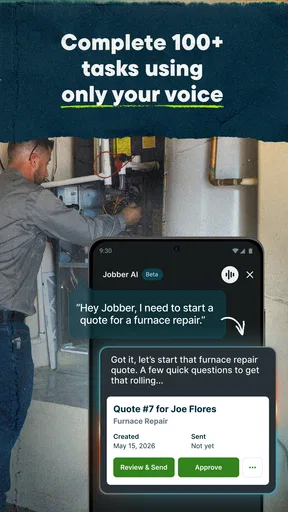
There’s a lot packed into Jobber, so let’s break it down a bit. One of the standout features is the scheduling tool. Drag and drop jobs onto the calendar, assign team members, and boom—everyone knows where they need to be. The whole process is as easy as pie.
Then there’s the client management system. This feature lets you store all your customer details, job history, and even preferences. It’s like having a personal assistant who never forgets a thing. Seriously, if you’re tired of juggling client info, this is a lifesaver.
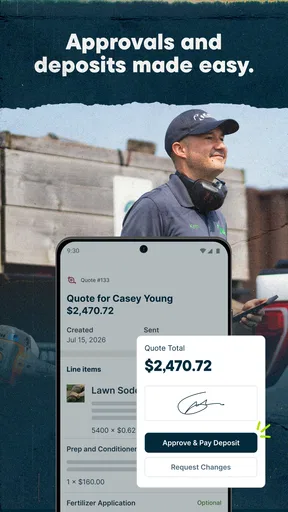
Invoicing and payments have also been simplified. You can create professional invoices in minutes and get paid faster with online payment options. No more chasing down checks or dealing with late payments. Hallelujah!
Mobile App Magic
Now, let’s talk about the mobile app. Oh man, it’s a game-changer. Whether you’re on-site or grabbing a coffee, you’ve got full access to everything you need right from your phone. The app syncs seamlessly with the desktop version, so you’re never out of the loop.
The real-time notifications keep everyone in the loop. Any changes to the schedule or client requests hit your phone instantly. It’s like having a direct line to your business, no matter where you are.
Team Management Made Easy
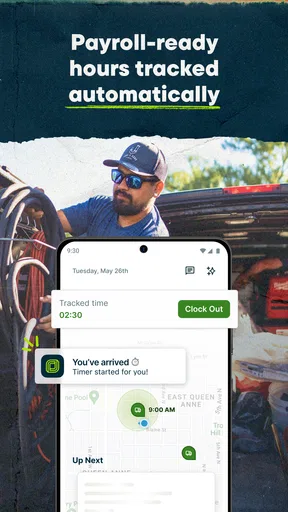
Managing a team can be like herding cats, but Jobber makes it a bit easier. You can assign tasks, track time, and even monitor progress. It’s straightforward and cuts down on the back-and-forth that can eat up your day.
I also noticed that the timesheets feature is a godsend for payroll. Everything is logged and ready to go, so you can focus on the bigger picture instead of getting bogged down in the details.
Customer Support and Resources
Now, if you do hit a snag, Jobber’s customer support is top-notch. I had a minor hiccup and reached out to them. They were quick to respond and super helpful. Plus, their online resources are extensive. You’ve got tutorials, FAQs, and guides at your disposal, so you’re never left in the lurch.
Is Jobber Worth It?
So, with all this in mind, is Jobber worth the investment? If you’re running a field service business and want to streamline operations, I’d say absolutely. It takes the hassle out of the daily grind and gives you more time to grow your business.
Sure, there might be a learning curve if you’re not used to digital tools, but once you get the hang of it, it’s smooth sailing. The time and stress it saves are well worth the effort.
Overall, Jobber delivers on its promises. It’s not just software; it’s like having an extra set of hands to help you manage your business efficiently. If you’re on the fence, give it a shot—you might just find it’s the missing piece you’ve been searching for.
Cost, fit, and the final call
Jobber is a business app from Jobber Software, and its free download makes it straightforward to try, though in-app purchases range from $9.99 to $399.99 per item. I’d check the options that appear in the app and match them against the number of people and workflows you actually need before committing. A solo operator should be particularly careful not to pay for capacity that a simple calendar and invoicing routine already covers.
The app is rated for Everyone, has an average rating of 4.4 from around 6,000 ratings, and has been installed over a million times. It first appeared on August 20, 2015; the current version is 6.67.0, with Android 8.0 as the minimum operating system. Those details make it a well-established option to consider, but they don’t replace checking how it feels on your own phone and with your own team.
My practical advice is to start with one complete job cycle: schedule a visit, make sure the assigned person can find the customer context, record the work, and prepare the invoice. Pay attention to where staff need to switch apps or ask the office for help. That trial will show whether Jobber genuinely reduces handoffs in your business or simply moves the same admin onto a screen.
For a team that needs its office and field staff to coordinate around customer visits, Jobber has a convincing case. For someone who needs a dependable tool in places with poor connectivity, or who wants a very lightweight personal organizer, I’d be more cautious and compare alternatives first. The strongest reason to use it is the possibility of keeping scheduling, service records, team work, and billing connected; the strongest reason to pause is that the workflow only pays off when people maintain it and can access it when needed.
Verdict
Strengths of Jobber: Field Service Software
- User-friendly interface for quick learning.
- Efficient scheduling and dispatch tools.
- Seamless invoicing and payment options.
- Customizable job forms to suit needs.
- Great customer support available.
Limitations of Jobber: Field Service Software
- Limited offline functionality.
- Higher cost for small businesses.
- Occasional app sync issues.
- Complex setup for some features.
- Limited integration with third-party apps.
Similar Picks in This Category
View All
LinkedIn: Community & Network
LinkedIn3.8

Zoom Workplace
zoom.com4.1

Microsoft Teams
Microsoft Corporation4.6

Meta Business Suite
Meta Platforms, Inc.4.6

Webex Meetings
Cisco Systems, Inc.4.5

TeamViewer Remote Control
TeamViewer4.4
Frequently Asked Questions
What is Jobber: Field Service Software used for?
Jobber is a comprehensive field service management application designed to help service businesses streamline their operations. It assists with scheduling, invoicing, and client communication, making it ideal for businesses like landscaping, cleaning, and HVAC. By centralizing these tasks, Jobber improves efficiency and customer satisfaction.
Is Jobber compatible with both Android and iOS devices?
Yes, Jobber is available for both Android and iOS platforms, offering seamless integration across devices. This ensures that team members can access important information and updates in real-time, whether they're in the office or out in the field, enhancing collaboration and productivity.
Does Jobber offer a free trial for new users?
Jobber provides a free trial period, allowing new users to explore its features before committing to a subscription. This trial helps users understand how Jobber can fit into their business operations and assess its benefits without any initial financial commitment.
Can Jobber integrate with other business tools and software?
Yes, Jobber integrates with several popular business tools and software, including QuickBooks, Stripe, and Mailchimp. These integrations enable seamless data transfer and synchronization, allowing businesses to manage accounting, payments, and marketing efforts more effectively.
How does Jobber support customer management and communication?
Jobber offers robust customer management features, including client history tracking and automated communication tools. These features help businesses maintain strong customer relationships by ensuring timely updates, follow-ups, and personalized service, ultimately leading to higher customer satisfaction and retention.
